



If you run a small business and you want AI working on top of your own files, calendar, email, and documents, you probably do not need a custom app. Claude Cowork is the app. It is a Mac and Windows desktop product, and as of May 2026 it ships with built-in connectors for Google Workspace, Microsoft 365, Slack, QuickBooks, HubSpot, PayPal, Canva, and DocuSign at no extra cost on Pro, Max, and Team subscriptions. Buy a Claude subscription, turn Cowork on, point it at your data, and the workspace is there.
If Claude is new to you, here is the short version. Claude is Anthropic's AI assistant. The chat box is the easy part. The reason it is worth your attention is the skills you can give it, plus its ability to work directly on your computer with your real files and apps.
Cowork is Anthropic's answer to one question: what does Claude Code-style agentic work look like for people who do not live in a terminal? You give it a goal. It proposes a plan. You approve. It runs the work on your computer, against your real files, and returns a finished deliverable. Anthropic built it for the people who get paid to work with documents, data, and files every day: researchers, analysts, operations, legal, finance, and the small-business owners doing all of the above at once.
That leaves one real question for most small businesses: not "do we need a custom app?" but "what do we want Claude to actually do?" The answer to that is skills. A paid Cowork subscription gives you the workspace: files, folders, connectors, long-running tasks, sub-agents, scheduled work, projects. Skills tell Claude how your business wants work done. They are the part most people skip past, and the part that decides whether Claude does useful work or only produces impressive demos.
Custom deployments are still the right call when private infrastructure, regional data residency, or enterprise compliance are non-negotiable. We will get to two real cases at the end of this article. For most small businesses, that is not the starting point.
What changed with Cowork
Cowork takes the Claude Code style of work and brings it to Claude Desktop for knowledge work. Instead of asking Claude to tell you what to do, you can ask it to do the work: organize files, draft documents, build spreadsheets, synthesize research, run a longer task in the background, or coordinate a few workstreams at once.
That is a real shift, but the part that matters is more boring than it sounds. Cowork makes the shell easy to get. Your team does not have to build a custom mini-workspace just to let an agent touch local files, run a multi-step task, and come back with a finished output. The room is already built.
The shell is just the room, though. The skills are the working habits you teach Claude inside it.
We built TaskFox before Cowork existed
TaskFox is our agent skills factory. We built it before Claude Cowork existed because we needed Claude to actually do work, not just describe it. The useful piece is not the shell. It is the skill library that has grown inside it.
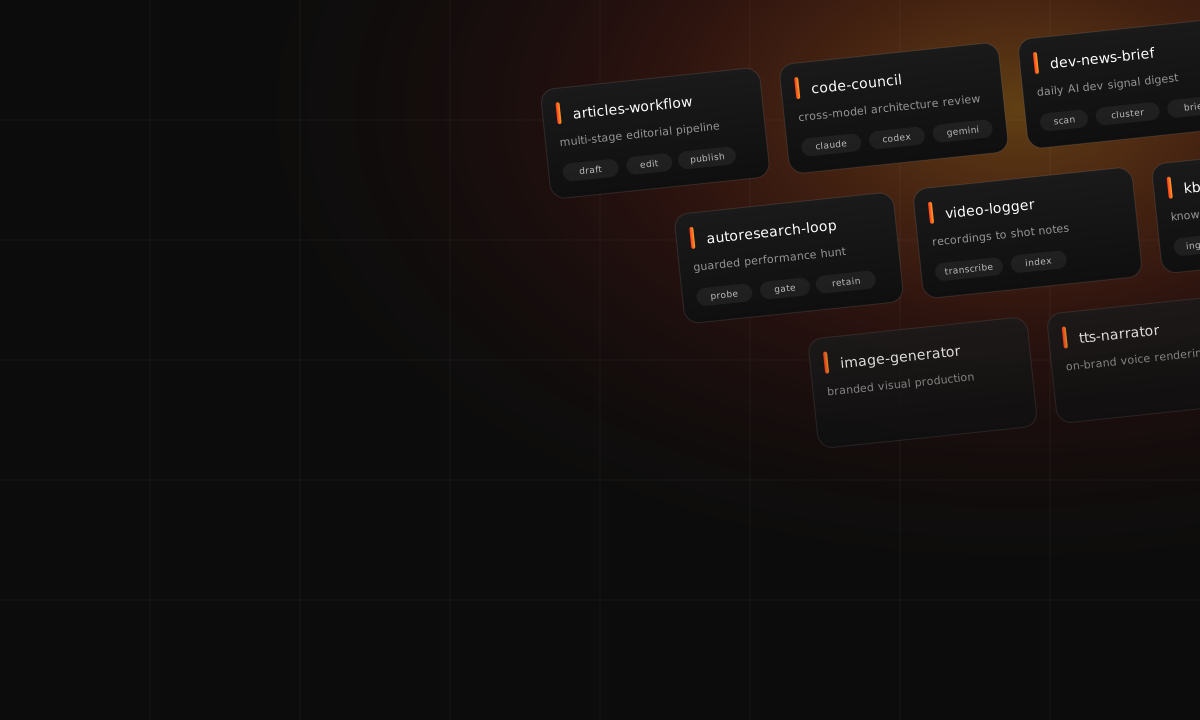
To make that concrete: TaskFox runs a daily AI dev-news brief, a multi-stage articles workflow (the same one used for this article with Codex and Claude Code in the loop), a code council that polls Claude plus Codex plus Gemini for architecture decisions, a guarded autoresearch loop, a video logger that turns recordings into transcripts and shot notes, a TTS narrator, an image generator, a deep-research skill, a knowledge-base manager, and dozens of smaller daily jobs. Different jobs. Same shape: a packaged skill that knows how the work should be done.
The useful lesson was not "everyone needs a TaskFox clone." It was the opposite. Once you have a strong runtime, the layer that earns its keep is the skill library. The same newsletter, research, review, or artifact workflow can run inside a custom system, inside Claude Code, or inside Cowork if the skill is packaged well.
That is why Cowork matters. It does not retire custom deployments. It just makes them less necessary as a starting point. More teams can begin with the hosted workspace and spend their energy on the part that keeps improving: the skills.
Three systems, one pattern
The same shape shows up everywhere we look. Different runtimes, different shells, different audiences. The skill layer is always where the business logic actually lives.
TaskFox is the one we can talk about openly. It has a deep skill library plus the supporting agents, commands, hooks, and pipelines that hold it together. The point is not that every business should copy the stack. The point is the skills are what make the stack worth running. A research skill knows how to gather sources. A newsletter skill knows the voice and format. A review skill knows the quality bar to enforce. A video skill knows how to turn raw recordings into usable notes.
The private workspace example makes the same point from the other side. The custom app earns its keep because of auth, file persistence, and a focused user experience. But the business value comes from the skills inside it: use the right knowledge base, follow the right messaging, ask for missing context, produce a draft that a real team can edit.
The guided use-case generator shows it again. The product is not one giant prompt. It is a staged workflow: clarify the request, rewrite it into a usable brief, research the context, build an outline, draft the use case, write the walkthrough, polish against a standard. Each stage is a skill-shaped piece of work.
Different apps. Same lesson.
Cowork makes skills easier to use
This is the part worth underlining. Anthropic did not just ship a place for Claude to run tasks. Cowork also has plugins, and the plugin model is the practical bit: a plugin can bundle skills, connectors, and sub-agents into one installable package.
The everyday version of that is great. Nobody has to tell every person on the team, "Go set up these six things, paste this giant prompt, and remember these three review rules." You package the workflow once. People install the plugin. They use the skill from Cowork. You improve it as the work changes, and everyone gets the upgrade.
And because skills are reusable capabilities, the investment is not trapped in one surface. A good skill can guide Claude in Cowork today, in Claude Code tomorrow, and inside an API-backed workflow later if you outgrow the hosted workspace. The runtime moves. The skill stays.
What a useful skill looks like
A skill is not a fancy prompt. A useful skill is closer to a small operating manual for a job you keep doing.
| Part | Plain-English job | Why it matters |
|---|---|---|
| Trigger | Tells Claude when to use the skill. | The user should not have to remember the whole workflow every time. |
| Instructions | Explains the steps, standards, and expected output. | This is where your team's way of working becomes repeatable. |
| References | Carries examples, templates, rubrics, and background docs. | Claude should use the known pattern instead of guessing from memory. |
| Scripts | Runs deterministic steps when code is better than prose. | Good automation should not rely on the model for everything. |
| Review loop | Defines what "good" means and how to check it. | This is how the skill improves instead of becoming stale instructions. |
Take our newsletter skill as a worked example. The trigger is "build today's TaskFox brief." The instructions tell Claude how to source the day's items, what tone the brief uses, and how the visual layout works. The references include past briefs we like, a voice guide, and a small list of phrases we ban (em dashes, "delve", that kind of thing). The scripts pull metrics, render the visual HTML, and stage the artifact. The review loop checks for missing sections, banned phrases, broken links, and stale references before anything goes out. It is not magic. It is a packaged way of doing a real job.
For a marketing team, that might be a campaign brief skill, a case-study skill, a brand-review skill, and a weekly-performance summary. For operations, it might be an invoice review skill, a vendor comparison, a meeting synthesis, a spreadsheet cleanup. For a founder, it might be a research skill, an investor update, a product spec, a support triage.
The names are less important than the shape. We pick recurring work, package the way the work should be done, make sure Claude has the files and examples it needs, and run the workflow enough times to tighten it.
Where custom apps still make sense
We should not overcorrect. A custom app earns its cost when you want your team working inside an environment you control end to end: your own infrastructure, your own authentication, your own data boundary, your own branded experience. Short of that, the right set of Claude skills inside Cowork is usually enough. Two real cases from our own work show where the line sits.
The first is a small aerospace company that wanted its team working inside a private, branded workspace it fully controlled. The actual work sits squarely in Cowork's wheelhouse: two lanes (brand and business, marketing and communications) over a shared knowledge base of strategy docs, brand guides, and past deliverables. We built it as a private AWS workspace anyway, because the requirement was never the workflow shape. It was the controlled environment itself: the company's own infrastructure, its own authentication, its own project storage, and a branded experience for its handful of users. Strip those requirements away and the same team would have been well served by Cowork and a tightly built skill library.
The second is a learning-platform team building a use-case generator at scale for tens of thousands of apprentices across multiple regions. Their content runs through a multi-step research, drafting, and polish pipeline. The job description fits Cowork well on paper. It does not survive contact with GDPR. Cowork routes all model inference through Anthropic's US infrastructure with no configuration option to redirect it. For an EU-regulated learning platform with apprentices and employer customers under GDPR, that is a hard blocker. A custom Claude Agent SDK deployment with regional model routing on AWS Bedrock is the only path that meets the compliance bar.
Same engine inside the box. Two different boxes, picked for two different reasons. Cowork was insufficient in both cases, but for different reasons: branded-private in the first, regional-regulated in the second. Most small businesses have neither problem.
For most teams, phase one should be: buy the tool, connect the right folders and apps, build the first five skills, and see which workflows actually stick.
That approach is cheaper and faster, and it teaches you what a custom deployment would need to do if you eventually build one. You get the workflow truth before you pay for the shell.
How we help small businesses start
When a small business comes to us to get going with Cowork, the engagement is small on purpose. Together we pick three recurring jobs that are annoying but not regulated or dangerous. We write down what a good output looks like for each one, gather two or three examples of past work Claude should imitate, and package each workflow as a skill with a clear trigger, instructions, references, and a review checklist. We get the skills running in Cowork with "Ask before acting" turned on, and we update them with what we learn after every run.
That is the whole shape. No grand transformation program. No six-month platform evaluation. Three jobs, three skills, and enough repetition to see whether Claude is doing useful work or only producing impressive demos. The first month is mostly figuring out which jobs the business actually wants automated. By the second month, the skills are usually doing enough real work to pay for the subscription a few times over.
If you asked us
If a small-business owner came to us this week and said "we want AI working on top of our data, what do we build," our honest answer would be: you probably do not need a custom app yet. You probably need a paid Claude subscription, the Claude Desktop app with Cowork turned on, the right connectors pointed at your real files, and a serious set of skills. That is the work we do most days. We help small businesses pick the first three jobs, package the workflows as skills, and get them running in Cowork. A custom build comes later, if it ever needs to, when there is real evidence in hand for what the workflow has to do that Cowork cannot.
OpenAI is going down the same road. Their answer to Cowork is making the Codex desktop app good for everyday knowledge work, not just code. Worth watching, and the same lesson lands either way: the desktop runtime is the easy part to ship. The power comes, in part, from the skills running inside it.
Skills are also why this article exists. TaskFox, our agent skills factory, ran a stack of them to help me write it: a research skill that pulled the source material, a drafting skill that knew the voice and structure, a visuals skill that produced the diagrams you have been reading, and a review skill that pushed back on anything that drifted into pitch-deck language. I am not handing over the recipe, but the shape is the point. Many small skills, each doing a real job, composed into one workflow.
So yes, custom deployments are great when you actually need them. But for most teams, a Claude subscription, Cowork, and a skill library you keep sharpening is genuinely all you need to start.
We built most of this the hard way, so if you are starting out and want to borrow from what worked, feel free to reach out.